Software · In development
Smee Comic Builder
The tool for putting your comic pages together and lettering them yourself. You bring the art; Smee Comic Builder handles the page, panels, lettering and export files. It does not draw or generate art for you.
- Alpha
Coming to Steam for Windows. Mac and Linux versions are planned.
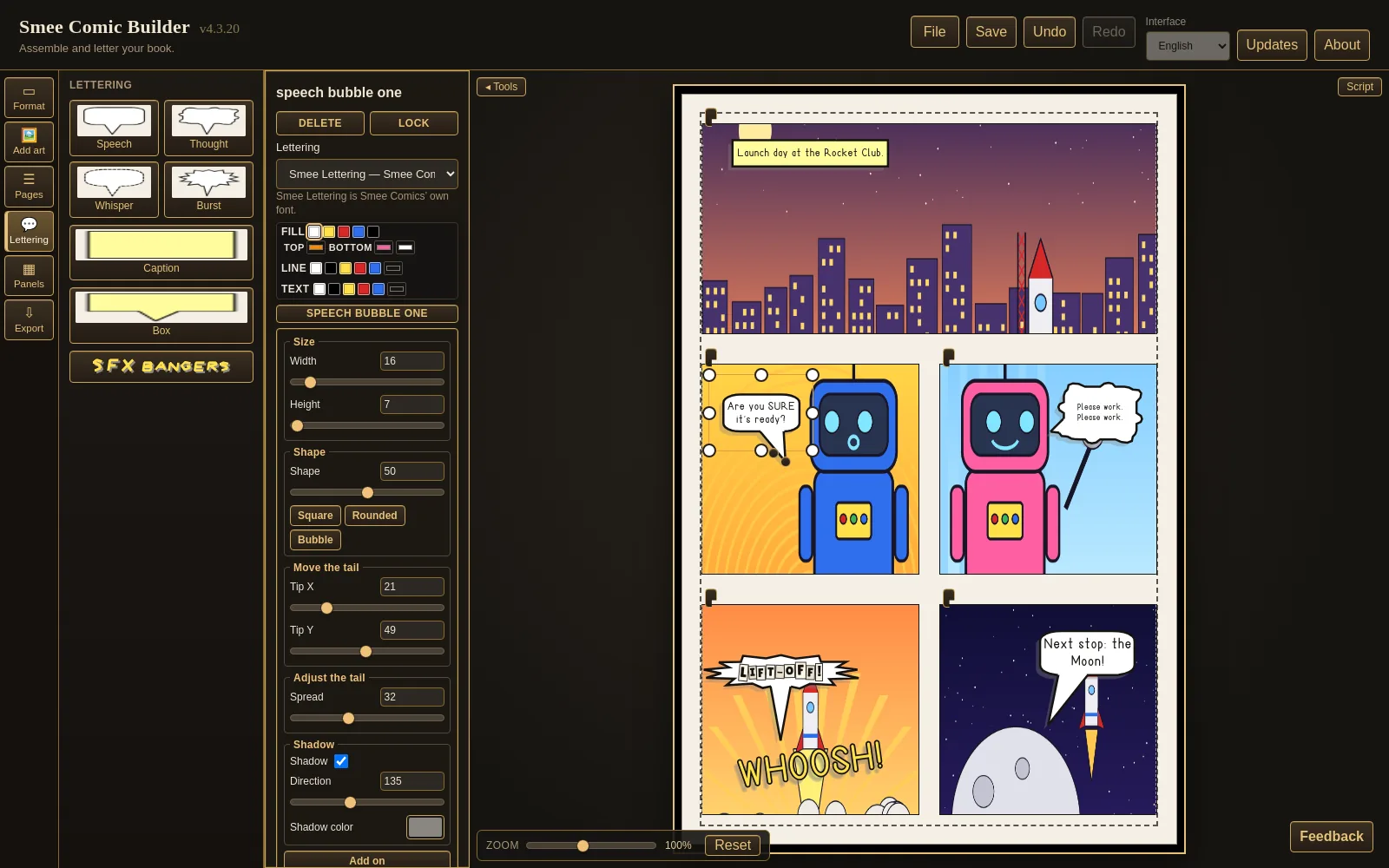
Real captures
See it working
Recorded in the current alpha build. The sample comic was drawn in code with simple shapes.
Add a speech balloon and drag its tail. The base slides along the balloon to follow. Double-click and type. The balloon fits itself around your words. Add a sound effect, then change the word, colour, rotation and arch.
What works today
You bring the art
Smee Comic Builder is in alpha and changes often. Features may change before release.
Start a book
- Pick a format: Digital page, US Print Comic, Manga (right-to-left), Magazine, Flyer, Playing card, Tarot card or a custom size.
- Page size, bleed, reading direction and export settings are set for you, and a live-area guide shows where words are safe.
- Add story pages and covers (front, inside front, inside back, back), and reorder, duplicate or delete pages.
Lay out your pages
- Ready panel layouts (thirds, five, six, wider left or right, bigger top or bottom) or one panel at a time.
- Move, resize and layer panels by hand.
- Bring in PNG, JPG, WEBP, GIF, TIFF or PDF art. A multi-page PDF fills your story pages for you.
- Pictures stay inside their panel; move and resize them with handles.
- Give pages a base colour, a two-colour blend or a dot or square texture.
Letter it
- Speech, thought, whisper, burst, caption and box balloons.
- Double-click a balloon and type. The balloon fits itself around your words.
- Drag a tail by its tip and its base slides along the balloon to follow; bend a tail from its middle.
- Join balloons, round them from square to bubble, change fill, line and text colours, and add a drop shadow.
- Sound effects you can size, stretch, rotate, arch, colour and shadow.
- Lettering fonts made in-house, including Smee Lettering and Smee Ransom cut-out letters, plus a few free open-licence comic fonts.
- Keep your script open beside the page while you letter.
Export
- PDF, CBZ and PNG pages, plus a front-cover file sized for online stores.
- Bleed and bleed colour carry through to the files.
- Book details (title, series, issue, creators, rights holder, language) are written into the files.
Work without worry
- Undo and Redo for nearly everything.
- Your book is only written when you save; an autosave copy is offered back after a crash.
Seven languages
- Use the interface in English, Spanish, Italian, French, German, Portuguese or Russian.
Screenshots
A closer look
Screenshots from the current alpha build.
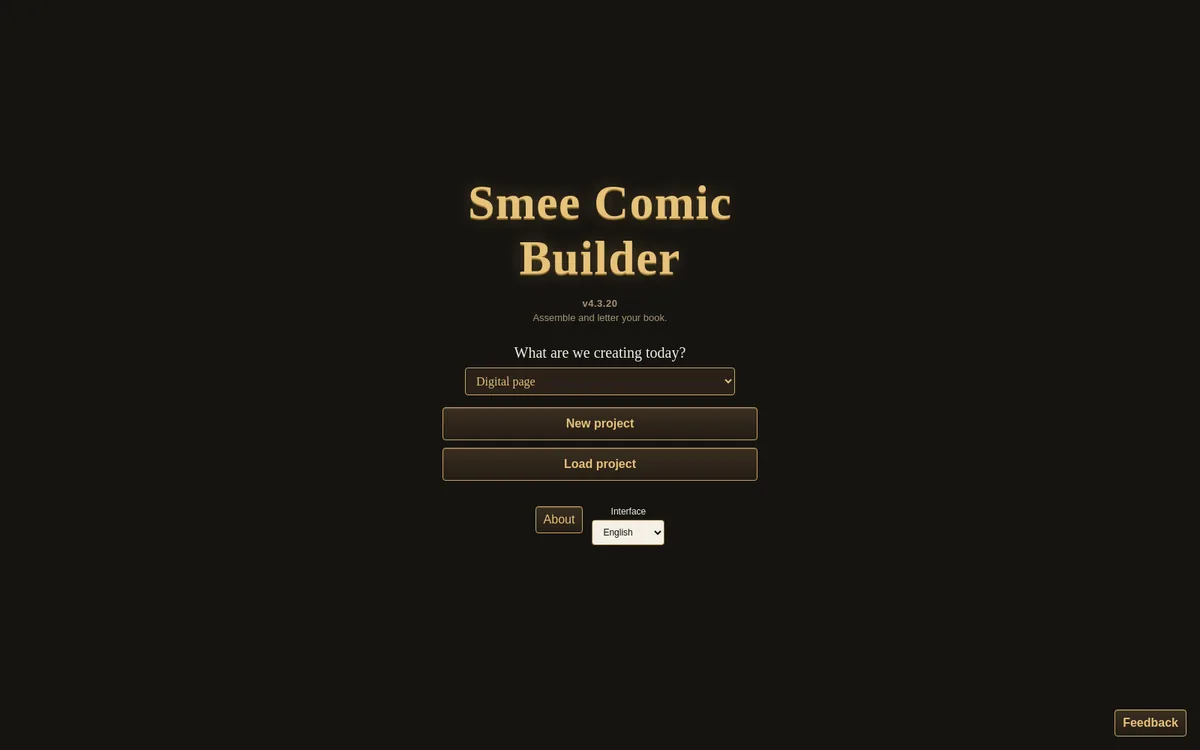
Start screen: pick a format, start a new book or open one, and choose the interface language. 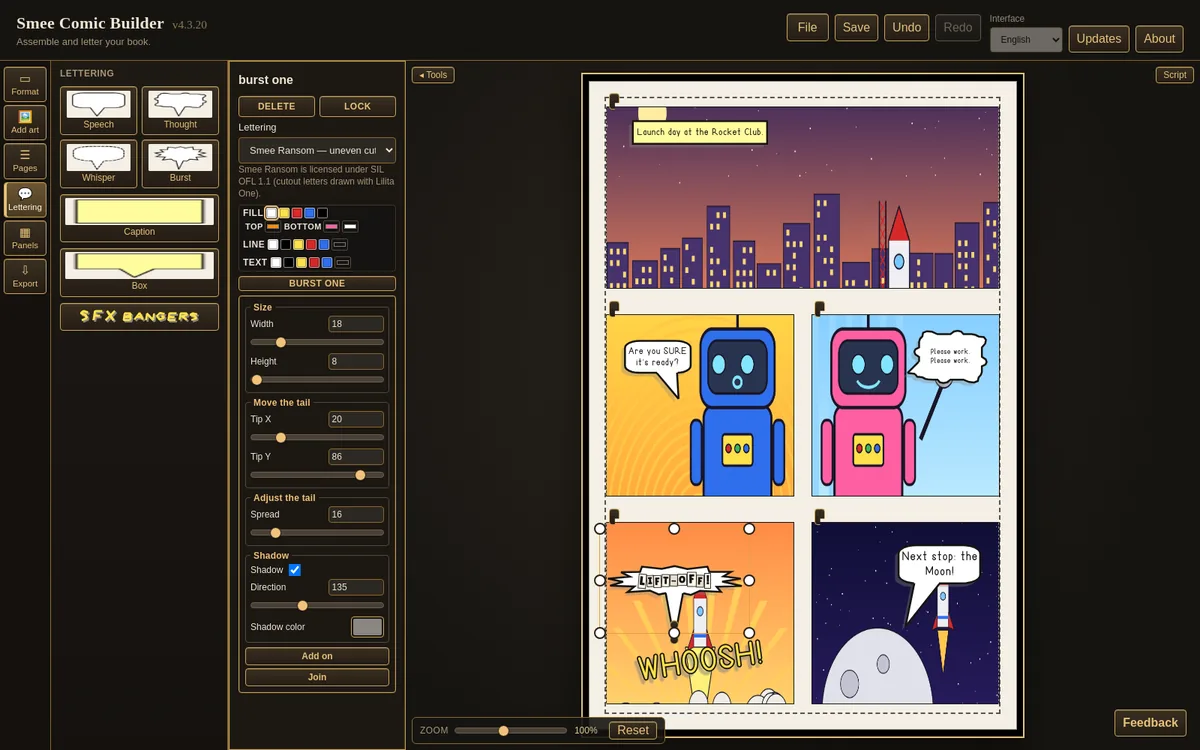
Smee Ransom cut-out lettering in a burst balloon, zoomed to 200%. 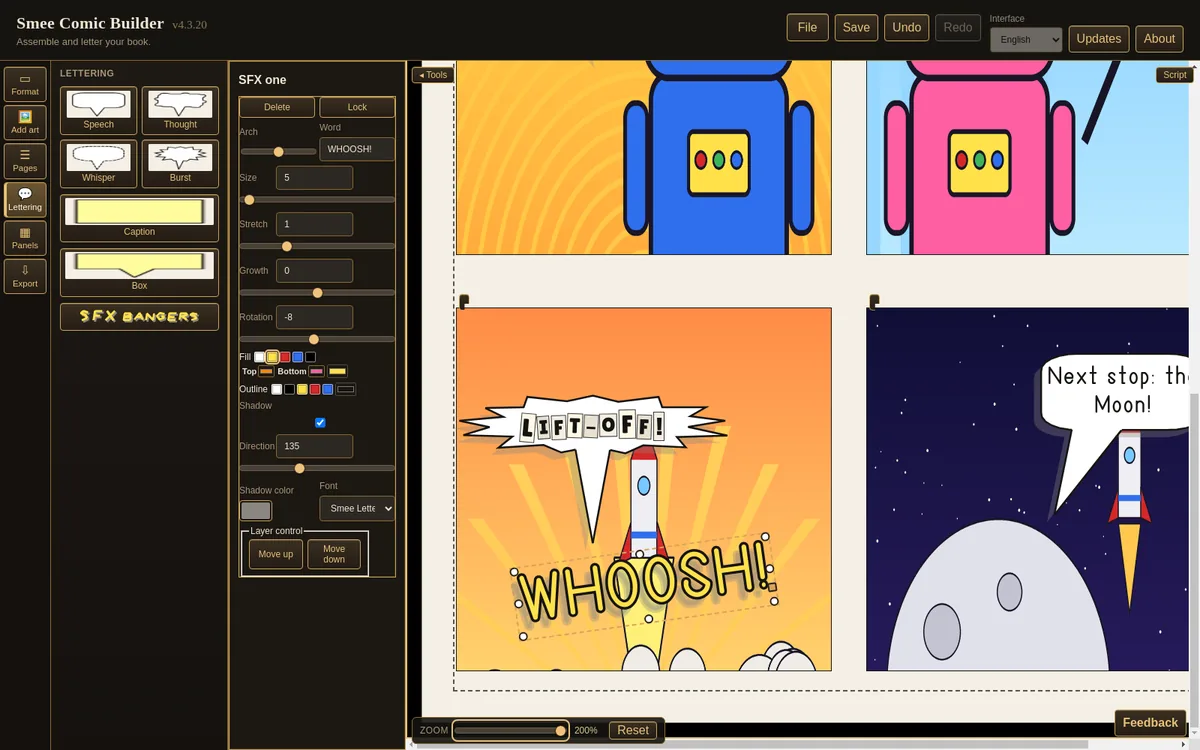
A WHOOSH! sound effect with its SFX tools, zoomed to 200%. 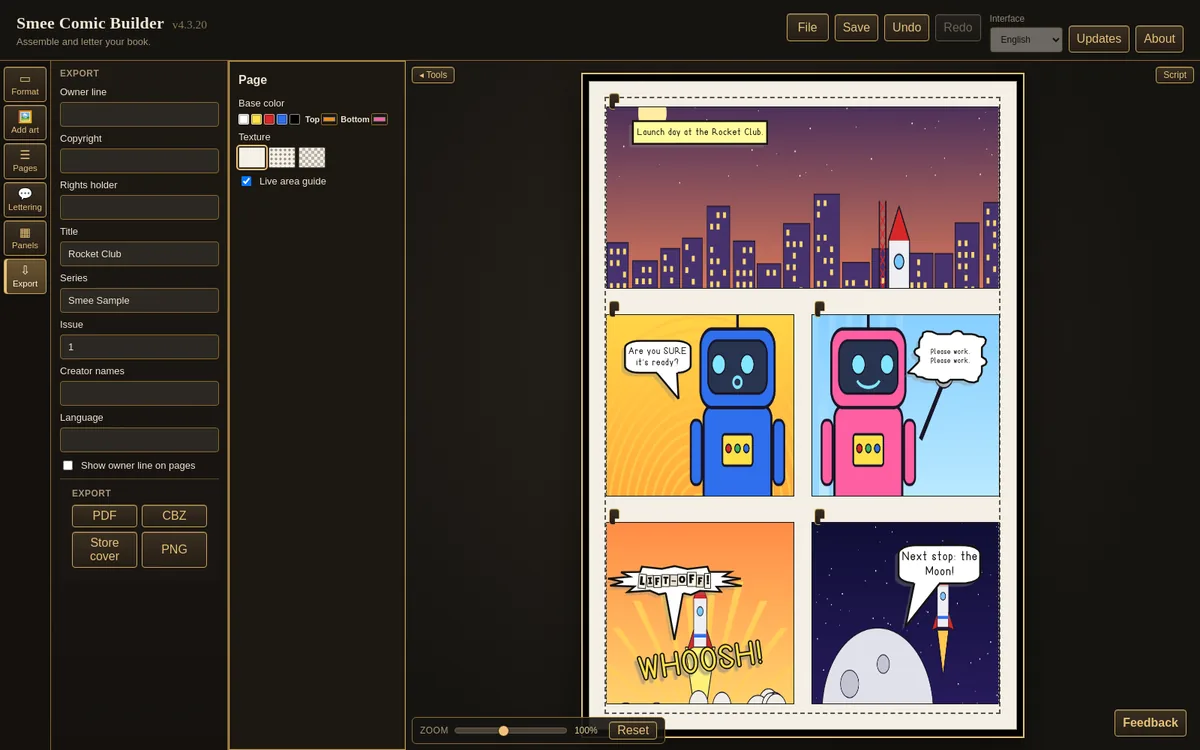
Export: book details, then PDF, CBZ, Store cover or PNG. 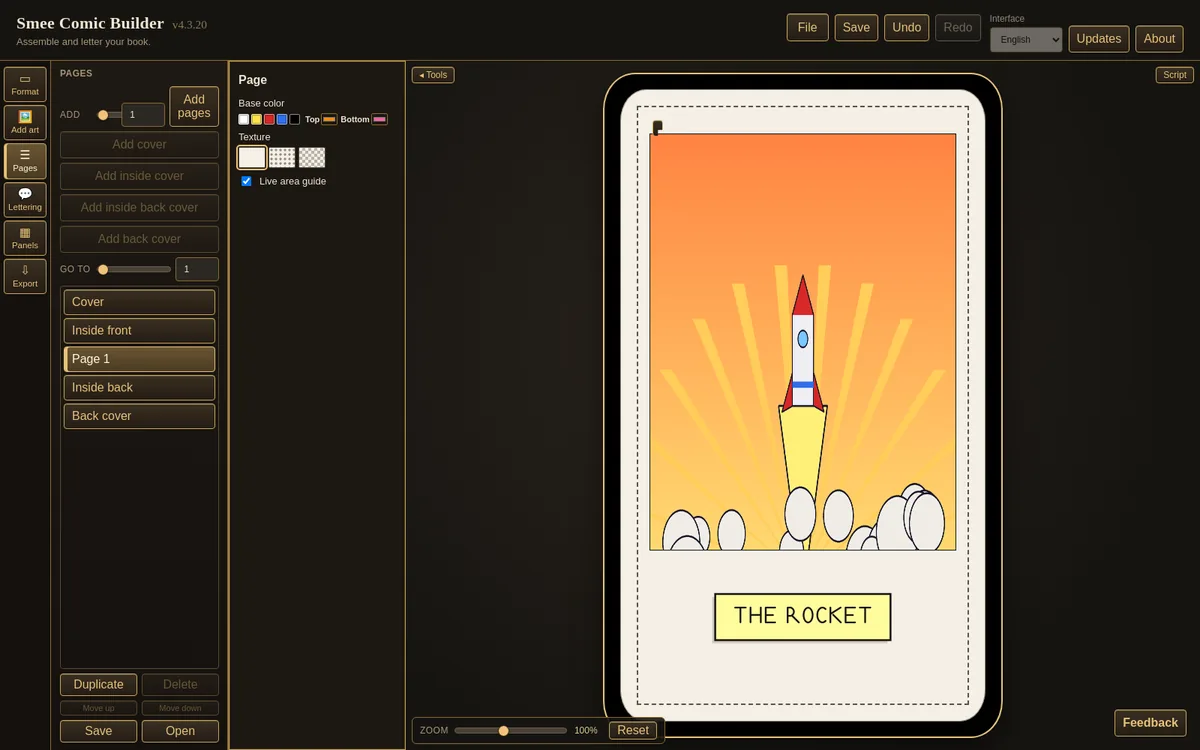
Tarot card format, with art and a caption. 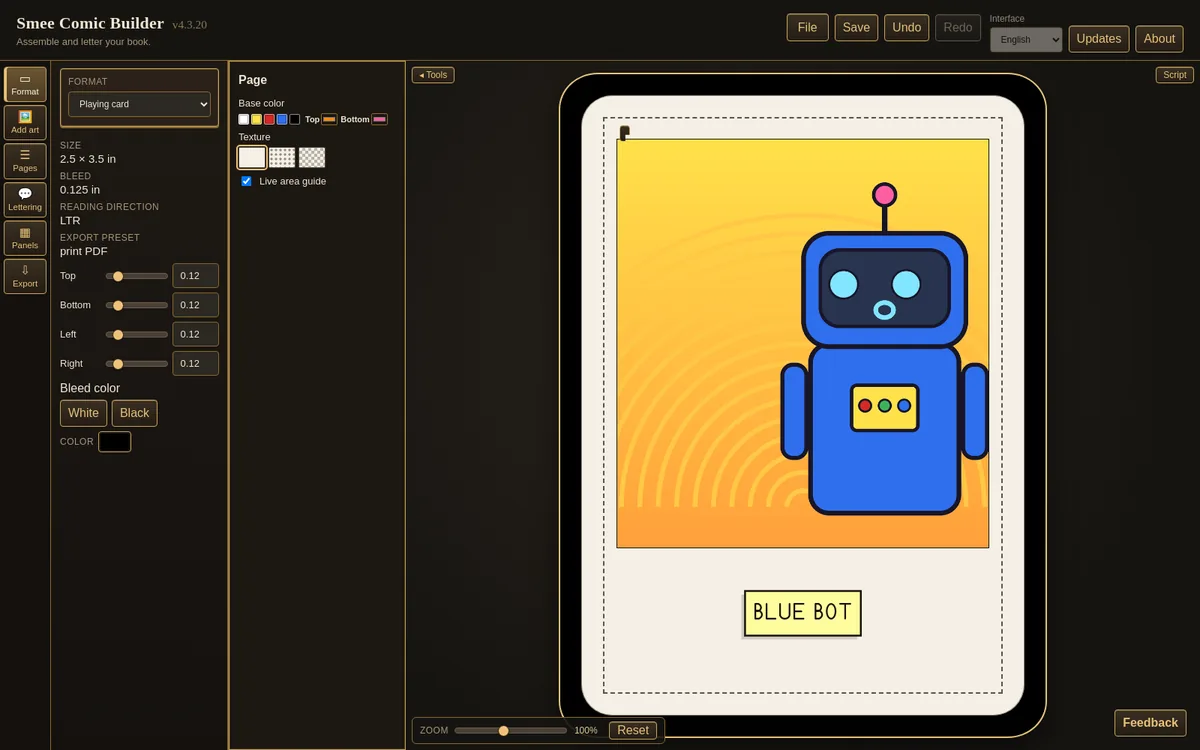
Playing card format, with the Format panel open.
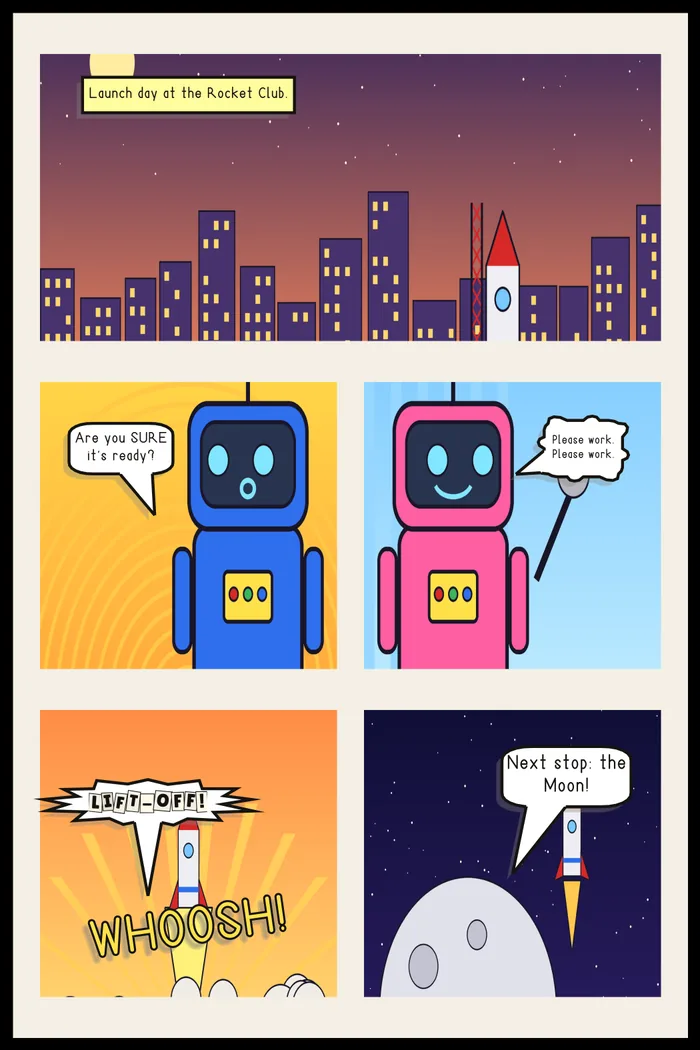
From the editor to the file
What you letter is what you export
The same page as written out to PDF. Bleed and bleed colour carry through, and the live-area guide stays out of the file.
Software roadmap
The road ahead
Milestones in order. No dates: each one ships when it is ready.
- Now
Steam alpha testing
The core book builder (formats, pages, panels, art, balloons, sound effects, export) is being tested.
- Step 2
Fonts
100+ free, commercial-safe lettering fonts, plus a Smee Comics spell-symbol font made in-house.
- Step 3
Wraparound cover builder
Front, spine and back as one cover, with printer presets.
- Step 4
Book (prose) mode
Lay out text-led books as well as comics.
- Step 5
Balloon and lettering upgrades
More balloon shapes, tail styles and lettering controls.
- Step 6
Pro tools
Masking, effects, master pages, custom font import and print-ready PDF.
- Step 7
5.0.0 beta
The feature-complete beta.
Planned: buy once, with standard updates free. Details will be confirmed before release.
Coming to Steam
Want to hear when it lands on Steam?
Email us and we’ll let you know. We use your message only to reply.